What’s New in Ninja Forms: October 2026
Here’s what’s new in Ninja Forms since August, all in one place.
Describe a form in plain words, and Ninja Forms builds it for you. Style every field with color pickers and sliders, no CSS needed. Show a long form one question at a time, like a conversation.
Below, we’ll walk you through what each one does, when it came out, what you need to use it, and where to learn more. After that, a few of our newest how-tos from the blog.
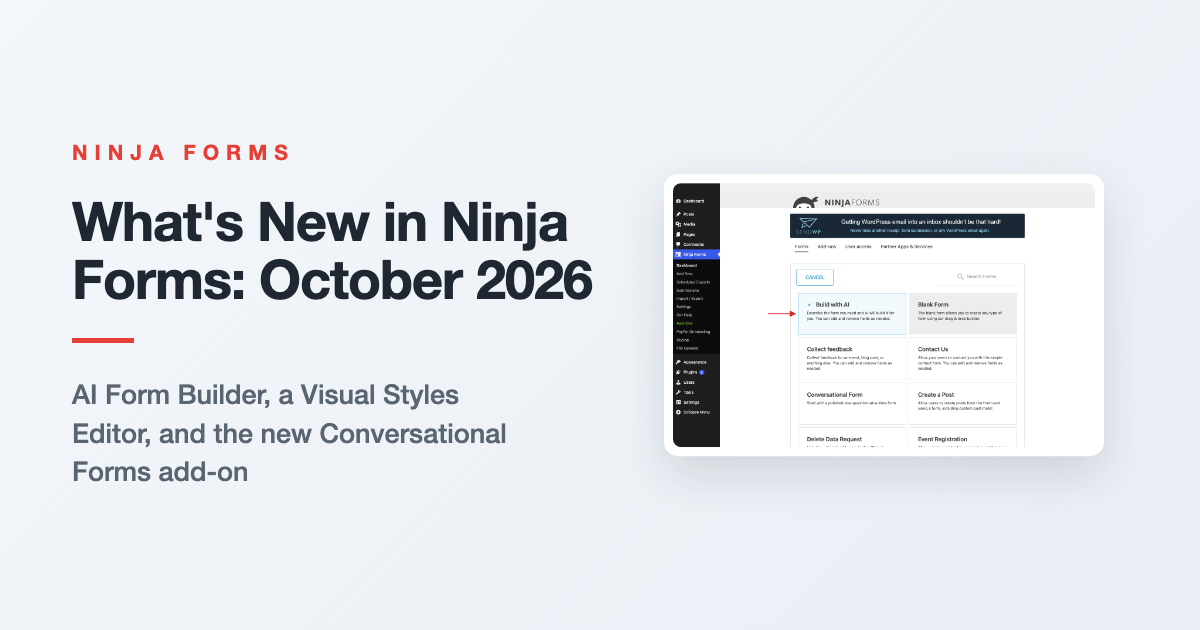
What’s new in Ninja Forms, at a glance
Here’s the short version, with the release each feature arrived in and the date it went out.
| Feature | Where it ships | Version | Date |
|---|---|---|---|
| AI Form Builder | Ninja Forms core (the free plugin) | 3.15.0 | August 12, 2026 |
| Visual Styles Editor | Layout & Styles add-on | 3.1.0 | August 10, 2026 |
| Conversational Forms | Conversational Forms add-on (new) | 3.0.0 | September 21, 2026 |
Each section below stands on its own, so skip on down to whichever one caught your eye.
AI Form Builder: describe the form you need and get a working draft
The AI Form Builder arrived in Ninja Forms core 3.15.0 on August 12, 2026. You describe the form you want in plain language, up to 2,000 characters, and Ninja Forms builds it with the fields and the relevant actions already attached. From there, the AI Assistant in the builder edits any form by conversation.
To try it, go to Ninja Forms > Add New and click Build with AI, the first tile on the grid.
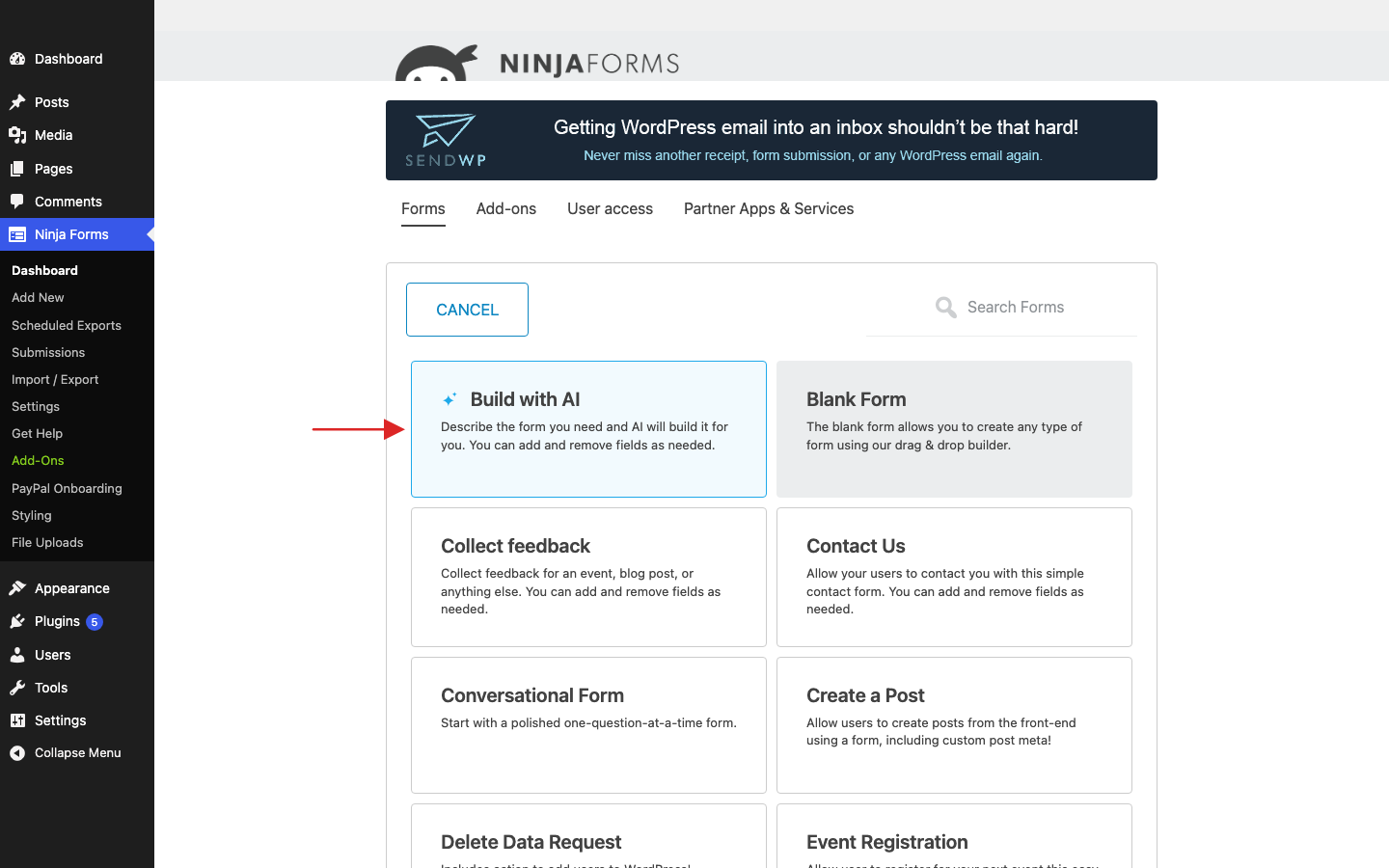
We tried it with a sign-up form for a llama farm open day. One paragraph of description came back as a form with name, email, phone, a choice of days, a party size and a notes box, plus an email to the farm team and a confirmation email to the visitor. Not bad for a paragraph!
Want a change? Click the sparkle button beside Publish to open the AI Assistant and ask for it in your own words. Every change comes with an Undo button under the reply, and you click Publish to keep it, same as any edit you make by hand.
What it needs: WordPress 7.0 or later and an AI provider connected under Settings > Connectors, using your own API key and credits (the docs cover Anthropic and OpenAI). Your form description and chat messages go to that provider. Form submissions never do.
Prefer to keep AI off entirely? Turn on Disable AI Features under Ninja Forms > Settings > Advanced Settings.
Read the AI Form Builder docs, or see the full walkthrough in our AI form builder article.
Visual Styles Editor: style your forms from visual controls, CSS when you want it
The Visual Styles Editor arrived in Layout & Styles 3.1.0 on August 10, 2026. It lets you style your forms with color pickers, sliders and buttons instead of typing CSS. Colors come with a palette pulled from your active theme, so a form can match the site it sits on in a few clicks.
Here’s where you’ll find it:
- Every field has a Styles section with Label, Element and Wrap styles: colors, font size, padding and margin with separate controls for each side, width, and border style buttons.
- Every form has a Styles setting on the Advanced tab for its container, title and messages.
- Every form on your site can share defaults from the Styling page under Ninja Forms.
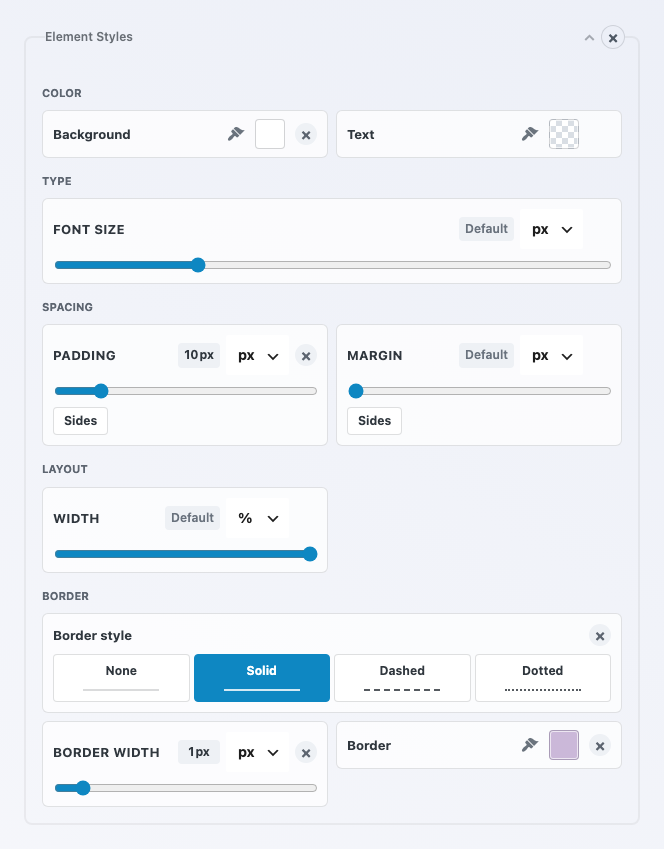
Like to type your own rules? CSS mode is a switch, off by default, that swaps the visual controls for CSS inputs. Values carry over when you switch back and forth.
A few things, like rounded corners, still need a line of CSS, so think of it as visual first, CSS when you want it.
What it needs: the Layout & Styles add-on, installed and active. See the Layout & Styles add-on page for the details. For a full walkthrough, read how to style your WordPress forms visually.
Conversational Forms: show a long form one question at a time
Conversational Forms 3.0.0 is a new Ninja Forms add-on, available since September 21, 2026. It presents any existing form one question at a time, with a welcome screen, a progress count, and keyboard shortcuts on choice questions. Your fields, validation, actions and submissions stay as you built them.
Same form, same questions, just one at a time. Each screen asks your visitor for one small thing.
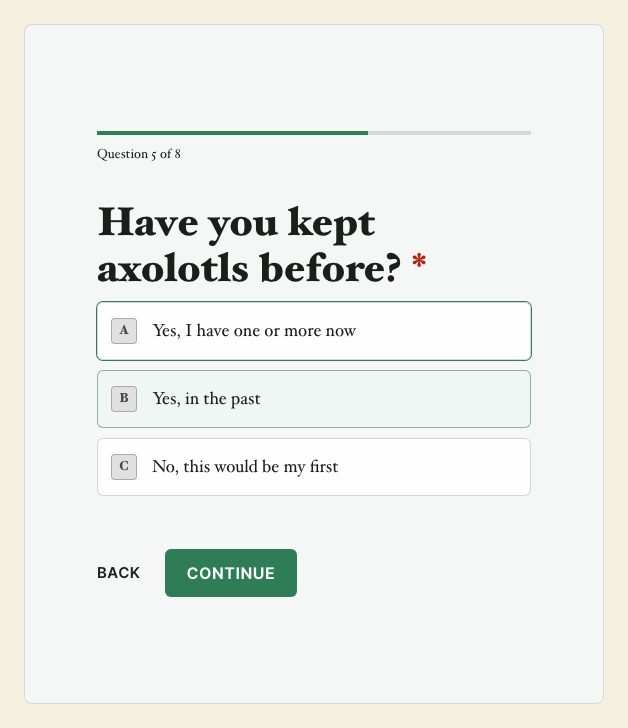
Turning it on takes one switch. Open your form, click the Advanced tab, choose Conversational Forms, turn on Enable Conversational Forms, and click Publish.
Visitors get a Start button, then Continue, Back and Skip as they go. On a choice question, pressing a letter key picks that answer and moves them along.
You can show it contained on your page, full screen, or on a shareable link, and style it in an appearance editor with a live preview. What it needs: the Conversational Forms add-on, installed and active.
Read the Conversational Forms docs, visit the Conversational Forms add-on page, or see it in action in our Typeform alternative article.
Recent Ninja Forms articles worth a read
The features above aren’t the only new things. These how-tos and guides went up on the blog since mid-August:
- Let an AI agent build your forms shows how to let an AI agent build your forms through WordPress, with the setup steps and the limits.
- Add an e-signature to a WordPress form walks through the Signature field, which comes free in Ninja Forms core.
- Ninja Forms integrations maps which tools have their own add-on and which connect through Zapier or webhooks.
- Best WordPress form plugin in 2026 compares the options situation by situation, if you’re still deciding where to start.
- Accept Apple Pay and Google Pay in WordPress forms covers taking mobile wallet payments from a form.
Keep up with what’s new in Ninja Forms
Like we said at the top, there’s plenty that’s new in Ninja Forms: a form from a paragraph, styling without stylesheets, and long forms that ask one question at a time. Core releases kept coming every week or two through September, too.
Want every release, in full, as it lands? Bookmark the Ninja Forms changelog and you’ll never have to wonder.
Try Ninja Forms Today
Always free, with premium features available through our memberships.