Turn any WordPress form into a conversation, one question at a time
Change how a form looks and feels, not how it works. Add a welcome screen, a progress indicator, and a visual editor to a form you already built. Every field, rule, and notification keeps working exactly as before.
Risk-Free 14 Day Guarantee
You'll love it or we'll refund you fully. No questions asked.
Long forms lose people. When every field is visible at once, on a phone screen or a desktop, visitors see the length before they see the first question, and many never finish. A form that only takes two minutes to complete can still feel like too much to start.
Conversational Forms turns any WordPress form you have already built in Ninja Forms into a focused, one-question-at-a-time experience, complete with a welcome screen, a progress indicator, and a visual appearance editor. It changes how your form looks and feels, not how it works: your fields, validation, actions, and submissions stay exactly as you built them.
With Conversational Forms, you can:
Key Features
Welcome screen
Greet visitors with a custom heading, welcome text, and your logo before the first question.
One question per step
Show a single focused question at a time instead of a long list of fields.
Keyboard-friendly choices
Answer choice questions with a keyboard shortcut or a click, whichever is faster.
Contained or full screen
Present the form inline on the page, as a full-screen takeover, or as its own shareable link.
No-rebuild setup
Turn Conversational Forms on for a form you already built, right from the Advanced tab.
Live preview styling
Match colors, gradients, background images, and your logo with a real-time preview as you edit.
Keeps what you built
Validation, actions, notifications, and submissions all work exactly the way they did before.
Conditional Logic branching
Skip questions and route visitors down different paths using the Conditional Logic rules you already set.
Key features of Conversational Forms
A welcome screen that sets the tone
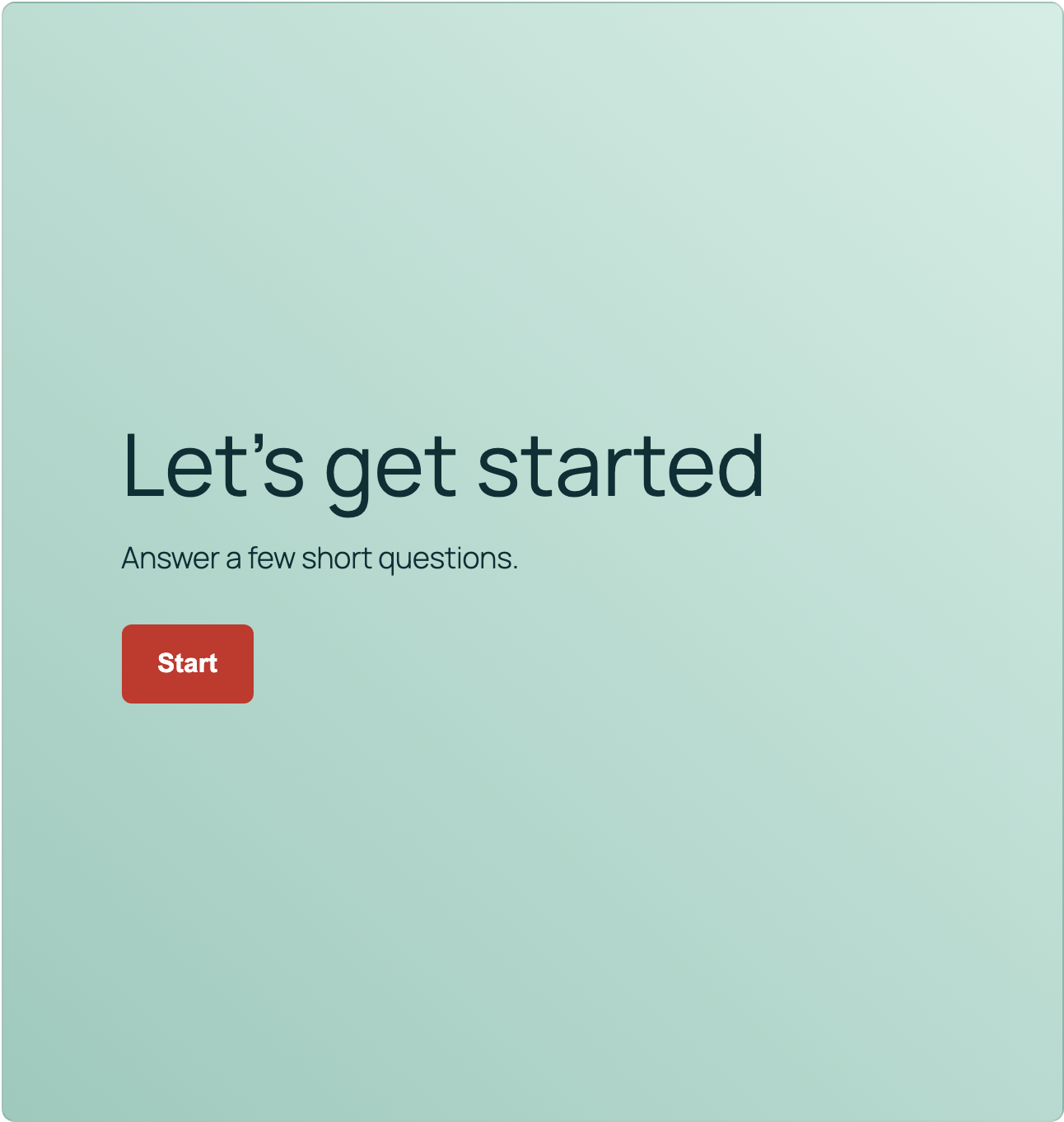
Before the first question, visitors see a welcome screen with a heading, optional welcome text, and your logo if you have added one. Leave the heading blank and it falls back to your form’s own title, so there is nothing extra to configure. A Start button, labeled however you like, is what actually begins the conversation.
One focused question per step
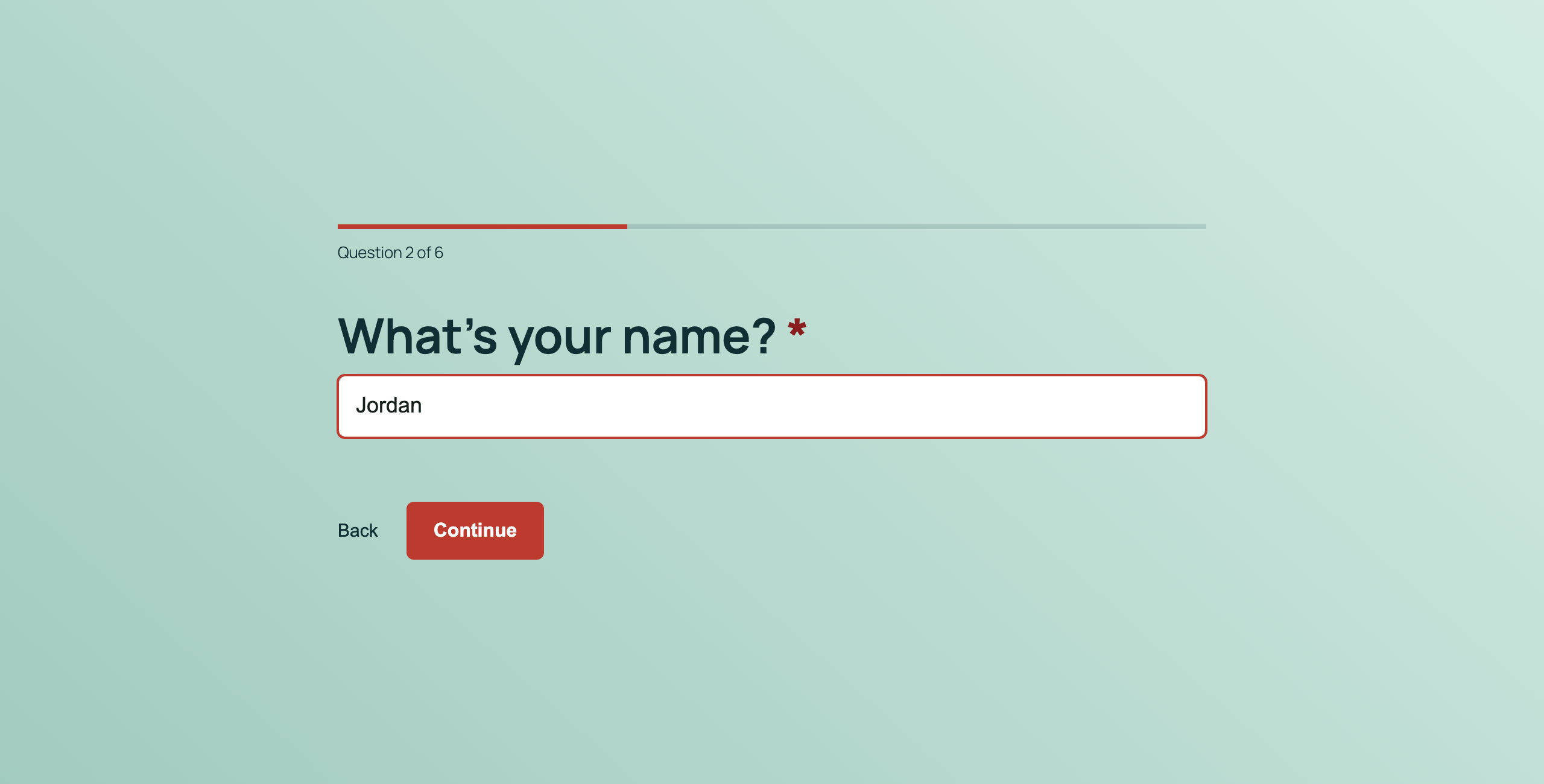
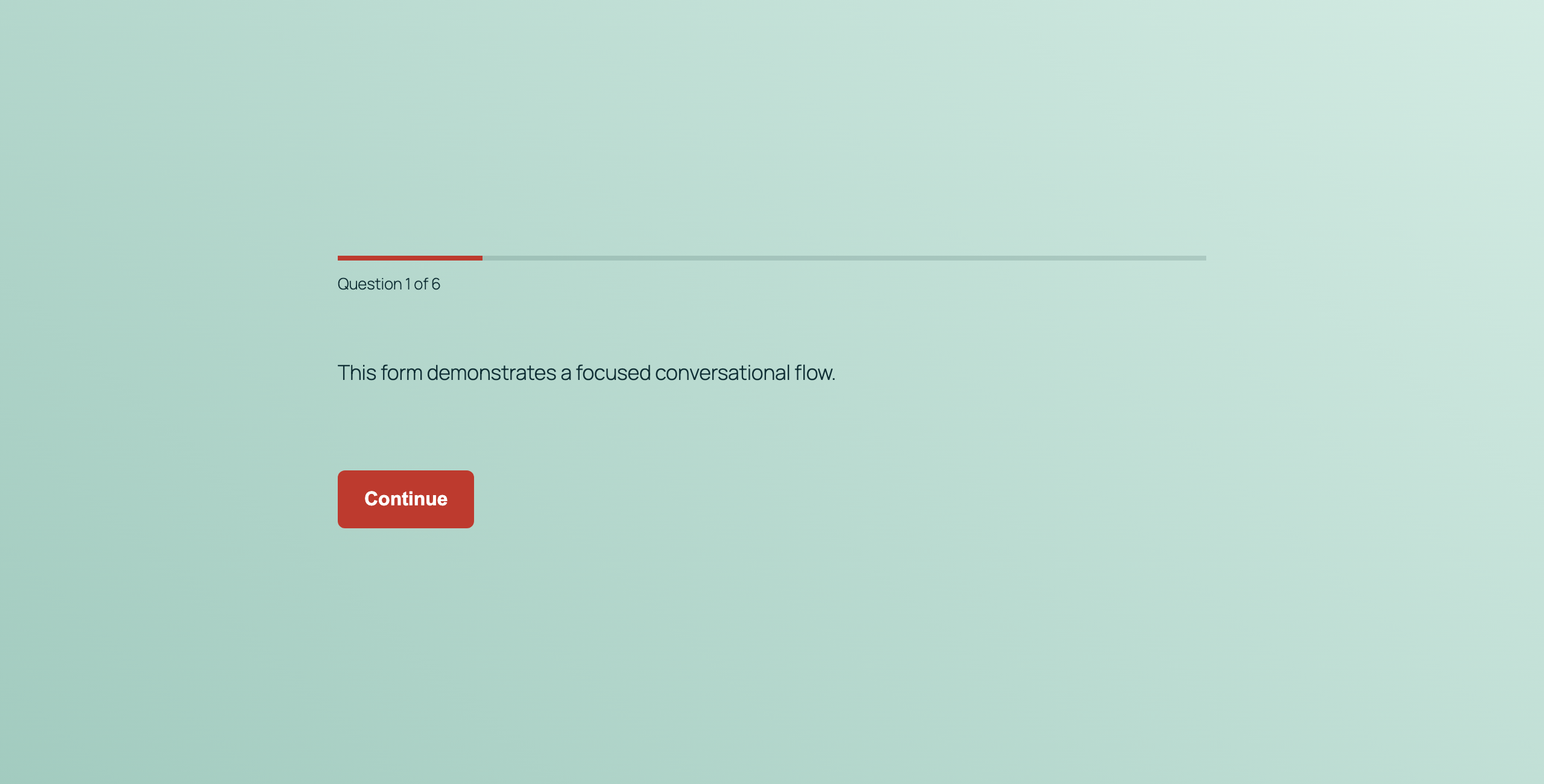
Once a visitor clicks Start, Conversational Forms shows one field at a time instead of a full page of fields. A progress bar, a question count, or both keep them oriented, and Back and Continue controls move the conversation forward or backward without losing anything already answered.
Keyboard shortcuts for choice questions
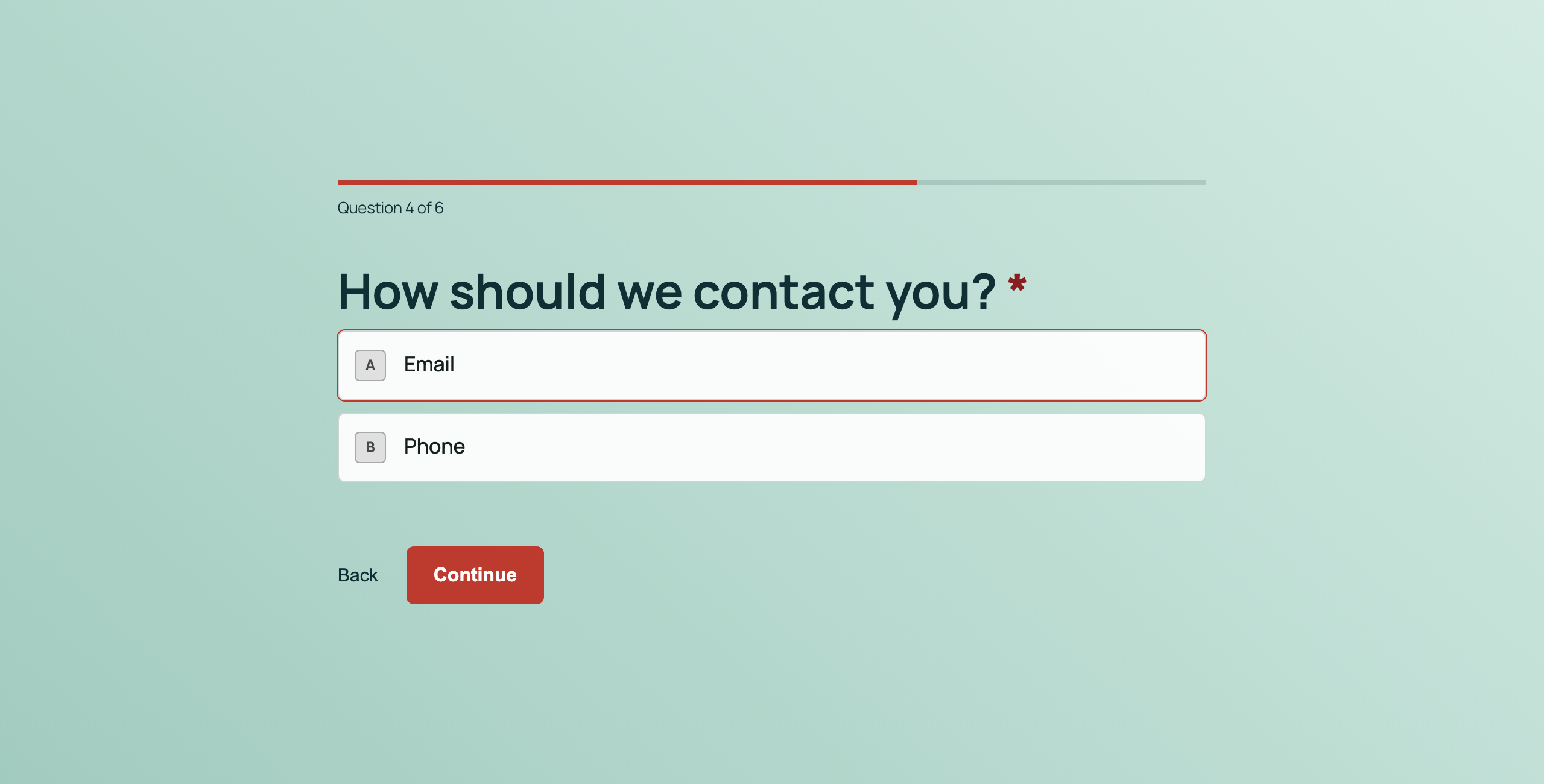
Choice questions show a keyboard shortcut chip next to each option, so a visitor can press a key to select an answer instead of reaching for a mouse. Choosing an answer on a radio list advances the conversation automatically.
Contained, full screen, or a shareable link
Conversational Forms works three ways. Contained mode keeps the conversation in its normal spot on the page. Full Screen Mode opens inline on the welcome screen, then takes over the browser viewport once a visitor clicks Start, so the takeover only happens after they choose to begin. And because it reads Ninja Forms’ own public link feature, you can also share a conversational form as its own standalone link.
Turn it on from the Advanced tab
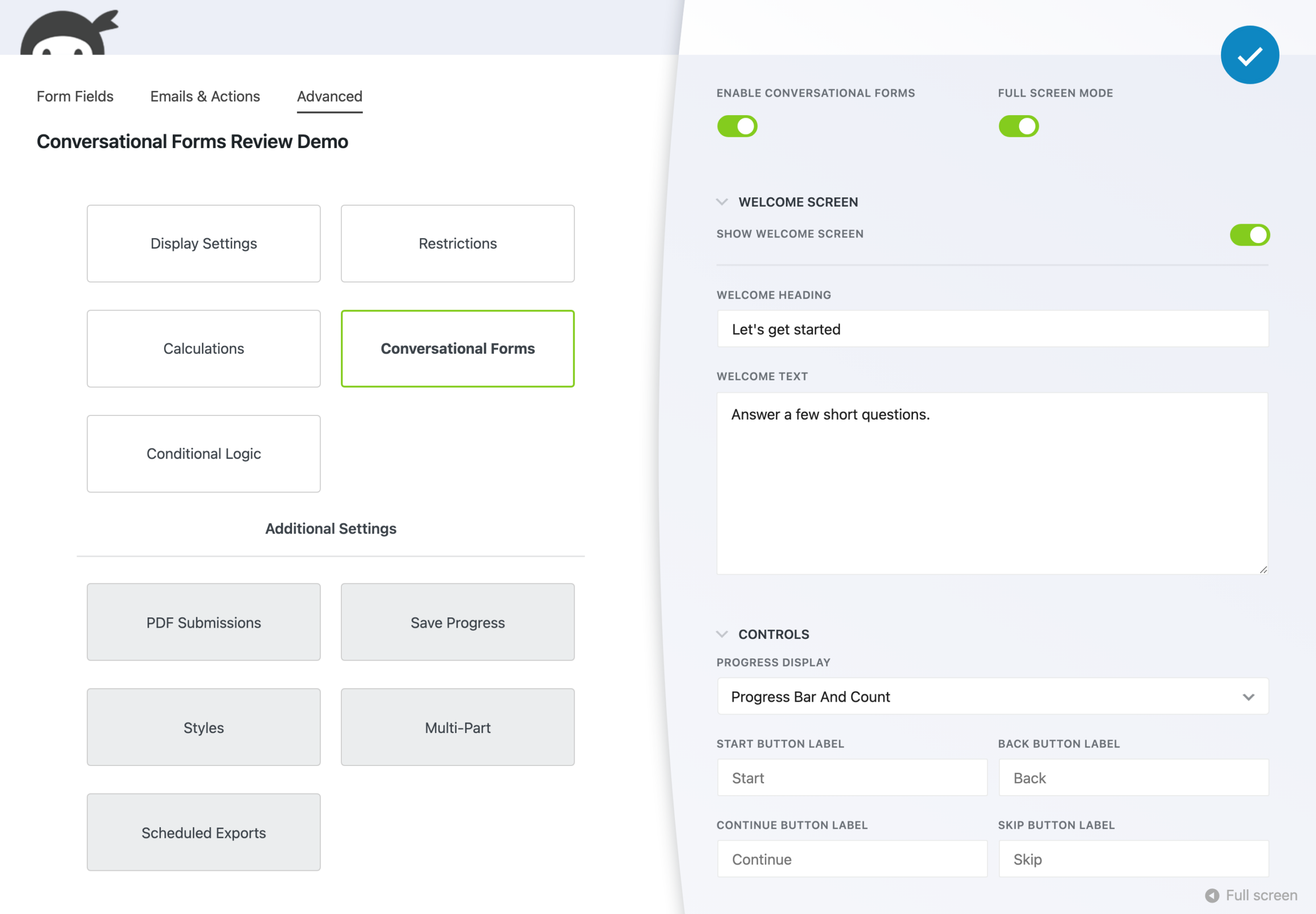
Conversational Forms adds a new Conversational Forms section to the Advanced tab of any form you build, right alongside Restrictions and Display Settings. Enable it, turn on Full Screen Mode if you want it, and set your Welcome Screen and Controls (progress display, plus the Start, Back, Continue, and Skip labels) without leaving the builder you already know.
A live preview appearance editor
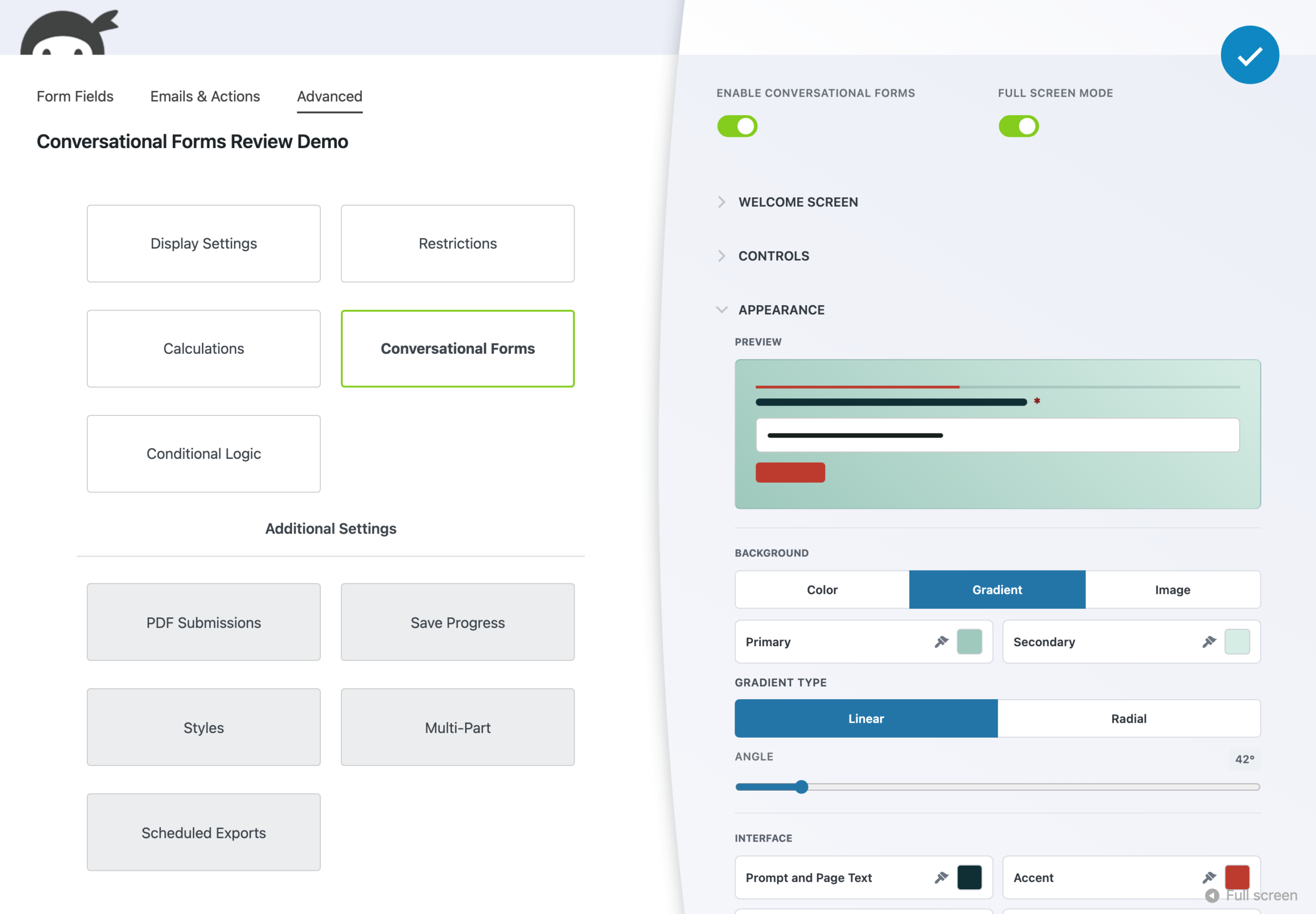
The appearance editor shows a live preview of your changes as you make them: background color, gradient, or image, text and field colors, an accent color, and your logo. Each color swatch offers your WordPress theme’s own color palette, a hex input, or a full color picker, and the preview flags pairings that may be hard to read before you publish.
Keeps everything you already built
Conversational Forms changes how a form looks and feels, not how it works. Turn it on for a form you have already built, and the fields, validation rules, actions, and submissions stay exactly as you configured them. We tested this directly: a submission made through the conversational view lands in the same place a standard submission does, with no separate pipeline and no lost data.
Branches with the Conditional Logic you already built
If you already use the Conditional Logic add-on, its rules carry into the conversation. Hidden fields drop out as steps, and answers can route a visitor down a different path in real time. Conditional actions can send different visitors toward different completion outcomes too, using rules you have already set instead of a new configuration language to learn.
Turn any form into a guided conversation
Add Conversational Forms to a form you have already built: no rebuilding required. Pick your plan in the add-to-cart panel above and turn it on from the Advanced tab in a few clicks.
Priority email support and a 14-day money-back guarantee included.
A conversational form builder built on what you already have
Conversational Forms reads the form you already built instead of asking you to learn a new way to build one. Every field becomes its own step, in the order you set. If you use Layout & Styles or Multi-Step Forms to group fields into rows or parts, each row or part promotes into its own step automatically, with no extra setup required.
That same principle carries into styling and structure across your other add-ons: conversational web forms built this way still work the way you configured them everywhere else in Ninja Forms, just presented one question at a time.
Built with accessibility in mind
We tested Conversational Forms with a keyboard-only journey and with VoiceOver, in both Chrome and Safari, before it shipped. Every navigation control (Start, Back, Continue, and close) is reachable by keyboard, choice questions are announced to screen readers as a single, clearly labeled group, and the default color theme meets WCAG AA text contrast.
If you customize colors in the appearance editor, it flags pairings that may be hard to read so you can adjust them before you publish. Accessibility testing is ongoing work for us, and this feature went through it as part of getting ready to launch, not as an afterthought.
Common use cases
- Cut abandonment on lead generation forms: Ask one focused question at a time instead of showing every field up front, so visitors are more likely to finish what they started.
- Make event registration and RSVPs feel effortless: Walk visitors through registration details step by step instead of a long, stacked form.
- Turn applications into a guided conversation: Job, volunteer, or program applications feel shorter and less intimidating one question at a time.
- Collect survey and feedback answers people actually finish: A focused flow keeps respondents moving instead of scanning ahead at everything left to answer.
- Take donation and signup forms question by question: Present giving or membership forms as a guided flow instead of a dense block of fields.
- Qualify leads with a conversational quote request: Turn a quote or consultation request into a back and forth that feels more like a conversation than paperwork.
Stop losing people partway through your form
If a long lead, application, or registration form is losing visitors before they finish, Conversational Forms walks them through it one focused question at a time until they hit Send. Add it to your cart above and turn any form you have already built into a complete, guided experience.
Priority email support and a 14-day money-back guarantee included.
Frequently Asked Questions
-
Conversational Forms is a display add-on that turns an existing Ninja Forms form into a focused, one-question-at-a-time experience, complete with a welcome screen, progress indicator, and a visual appearance editor, without changing how the form itself is built.
-
No. Conversational Forms is a presentation layer you turn on for a form you already built. Your fields, validation rules, actions, and submissions stay exactly as configured. We tested this directly: a submission made through the conversational view lands in the same standard Ninja Forms pipeline as any other submission.
-
Yes. Conversational Forms only changes how visitors experience your form, not how it works behind the scenes. Validation rules still block invalid answers, and your existing notification emails, actions, and integrations run exactly as they did before you turned it on.
-
Yes. We tested a keyboard-only journey and VoiceOver in both Chrome and Safari before this shipped. The default color theme meets WCAG AA text contrast, and the appearance editor flags color pairings that may be hard to read if you customize them. Accessibility testing is ongoing work we keep investing in.
-
Yes. If you already use the Conditional Logic add-on, its rules carry into the conversation: hidden fields are skipped as steps, and answers can route visitors down a different path in real time. Conditional actions can also route different visitors toward different completion outcomes.
-
Conditional Logic branches the conversation live. This first release has been tested with HTML statements, name, single-line text, email, phone, textarea, submit, and radio, dropdown, and checkbox list fields. Because Conversational Forms only changes how a form is shown, other fields and add-ons are built to work the same way, including Layout & Styles rows and Multi-Step Forms parts (each becomes one step), File Uploads, calculations, captcha, repeater fields, the rich text editor, and Save Progress. Those haven't been tested in a conversational form yet, so preview any form that uses them before you turn it on.
-
Both. Conversational Forms can stay contained in its normal spot on the page, expand into a full-screen takeover after a visitor clicks Start, or open directly in full screen through Ninja Forms' existing public link feature, so you can share it as its own standalone link.