What’s Included
This submission form template, also a general content submission form, gives content sites, community platforms, and agency teams a way to collect file-based entries from any visitor. Whether contributors are uploading a video, a written story, a recipe, or a photo, the form walks them through the same simple steps: who they are, what they’re submitting, and the file itself. Ten fields keep the layout approachable, and the built-in File Uploads add-on handles the heavy lifting of accepting, restricting, and storing whatever contributors send in.
Because this is the generic, head-term version of the submission form, it’s built to flex across use cases. If you’re running a single-format campaign, such as a video contest or a recipe roundup, you may prefer one of the more specific templates below. This page is meant to work as the starting point for any type of entry and the hub that connects to those niche variations.
Contributor Information
- Full Name (Single Line Text): Captures who is submitting the entry so you can credit contributors and follow up if needed. Required.
- Email (Email): Used to confirm receipt of the submission and reach the contributor about status, publication, or follow-up questions. Required.
- Website or Social Media Link (Single Line Text): Lets contributors share a portfolio, channel, or profile link alongside their entry. Optional.
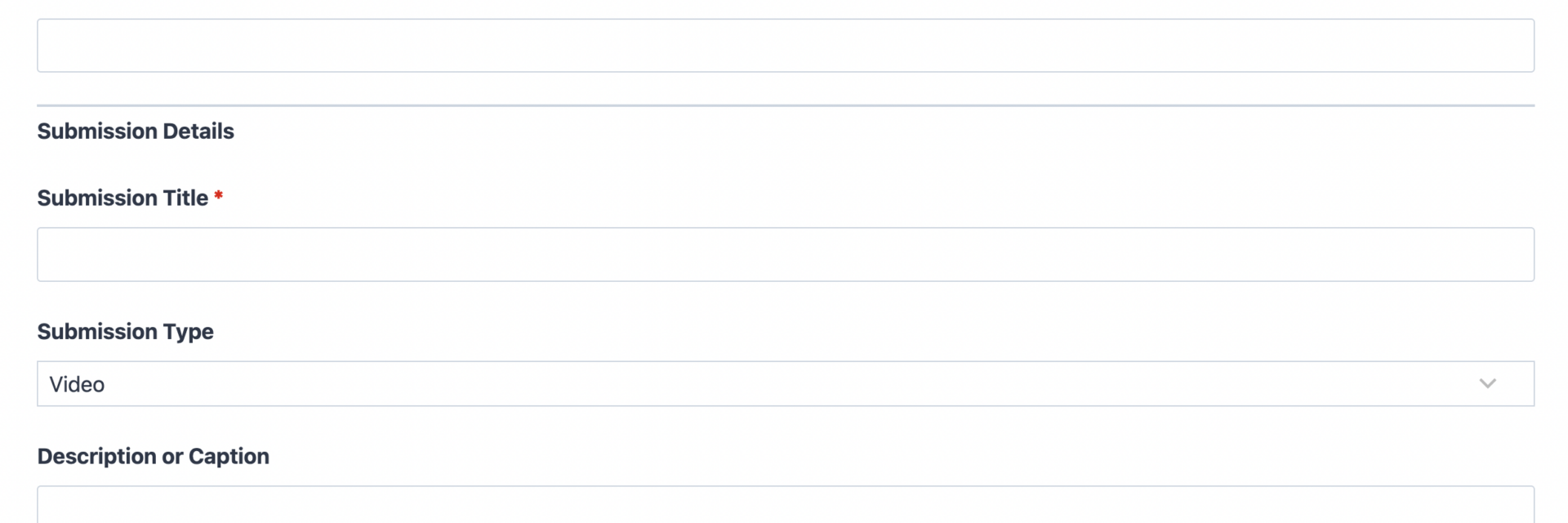
Submission Details
- Submission Title (Single Line Text): The name of the entry, whether that’s a video title, story headline, or recipe name. Required.
- Submission Type (Select): A dropdown for categorizing the entry (Video, Story, Recipe, Photo, Article, Other) so submissions stay organized by contributor and by format as they come in. Optional.
- Description or Caption (Paragraph Text): Space for a short summary, backstory, or context about the entry. Optional.
- File Upload (File Upload): The core of the form. Accepts the actual video, document, image, or other file being submitted. Required.
- Usage Rights Consent (Single Checkbox): Confirms the contributor owns the submitted content and grants permission for it to be reviewed and, if selected, published. Optional, though many campaigns choose to mark this required once legal review is complete.
Spam Protection and Submission
- hCaptcha (hCaptcha): Blocks automated bot entries without adding friction for real contributors. Not marked required, in line with Ninja Forms best practice for anti-spam fields.
- Submit (Submit): Finalizes the entry and triggers the confirmation and organizing steps below.
What makes this a true file upload form, rather than a plain contact form, is the File Upload field, configured through the File Uploads add-on, which is required for this template. It lets you set allowed file types and sizes, choose where uploads are stored, and keep every contributor’s file organized and attached to their submission record.
Automated Responses and Smart Integrations
A submission form does more than collect files. It confirms receipt, keeps entries organized by contributor, and can push accepted submissions straight into your publishing or review workflow without any manual copying.
- Email Notification: Sends the contributor a confirmation that their entry was received, with a copy to your team containing the file, title, and description for review.
- Success Message: Displays a clear thank-you message on the page, letting contributors know what happens next, such as a review period or a publication date.
- Redirect: Optionally sends contributors to a page with submission guidelines, a gallery of past entries, or related opportunities to contribute again.
- Anti-spam Protection: Uses hCaptcha to keep automated entries out while keeping the submission process friction-free for real visitors.
Enhanced Functionality (Optional)
These add-ons are not required to use this template, but each one naturally extends what it can do for content sites and community platforms managing ongoing entries.
- Front-End Posting (Optional): Turn approved entries into published posts automatically. This is a natural fit here since stories, recipes, and other contributor content often need to go straight from the form into a post type on your site. See the Front-End Posting documentation for setup details.
- Conditional Logic (Optional): Show different guidance or fields depending on the Submission Type selected, such as file size notes for video entries or word count guidance for stories. Learn more in the Conditional Logic documentation.
- Layout and Styles (Optional): Match the form to your site’s branding with custom columns and styling, useful when the form is embedded across multiple campaign pages. Details are on the Layout and Styles product page.
- Zapier and Webhooks (Optional): Route new submissions into project boards, spreadsheets, or a content calendar the moment they arrive, handy for agencies coordinating entries across several client campaigns. See the Zapier documentation or the Webhooks documentation for setup steps.
This template also uses Ninja Forms’ free core features for email notifications, success messages, and redirects, so none of the baseline functionality requires an add-on beyond the required File Uploads add-on.
Requires Ninja Forms (free) · Import, customize, publish in minutes
How Can the Submission Form Be Used?
Collecting entries manually through email or shared drives quickly turns into a mess of mismatched file names and missing contact details. A content submission form solves that by giving every contributor the same guided path: enter their name and email, describe what they made, and upload the file, all in one place. Submissions arrive already organized by contributor and by type, so your team spends less time sorting and more time reviewing. Explore the most common ways this template gets put to work:
Content Sites: Collect Reader Contributions Without the Back-and-forth Email Chain
Blogs, magazines, and niche publishers often invite readers to send in photos, tips, or short stories. This template replaces scattered email attachments with a single organized queue, complete with the contributor’s name, a title, and the file itself. Editors can review entries in one dashboard instead of hunting through inboxes. Sites that want a format-specific version can start from the Story Submission Form or the Recipe Submission Form and keep this general template as the catch-all for everything else.
Community Platforms: Run Contests and Campaigns With Organized Entries
Community sites running a contest, challenge, or seasonal campaign need a user-generated content form that can accept many entries at once without losing track of who sent what. This form keeps every contributor’s file, title, and description together, so judges or moderators can review entries side by side. Pairing the form with Front-End Posting lets top entries go live on the site automatically once approved.
Agencies and Client Teams: Manage UGC Campaigns Across Multiple Clients
Agencies building a user-generated content form for media and community clients often need the same submission flow across several sites. This template gives you a reusable starting point: import it, adjust the Submission Type options for each client’s campaign, and connect Zapier or Webhooks to route entries into each client’s own review process without rebuilding the form from scratch every time.
Video Creators and Film Programs: Accept Entries With Clear File Guidance
Film festivals, video contests, and school media programs need contributors to know exactly what file types and sizes are accepted before they try to upload a large video file. Configuring the File Upload field’s restrictions ahead of time avoids failed submissions and confused emails asking for help. Programs focused specifically on video should also look at the Video Submission Form, which is tuned for that single format.
Nonprofits and Community Groups: Gather Stories and Testimonials From the Public
Nonprofits collecting stories, testimonials, or volunteer highlights from the public benefit from a low-friction form that anyone can fill out without creating an account. Keeping the required fields to a minimum, name, email, title, and the file itself, means more community members follow through and submit, rather than abandoning a long application partway through.
Frequently Asked Questions About the Submission Form
Is the submission form template free?
Yes. The template itself is free to download, and it runs on the free core version of Ninja Forms. The one required add-on, File Uploads, is a paid add-on available from the Ninja Forms add-ons library, and it is what allows contributors to attach a video, document, or image to their entry.
Do I need coding skills to customize this template?
No coding is required. Every field, label, and email notification can be edited through the Ninja Forms drag-and-drop builder inside your WordPress dashboard, the same way you would edit any other form.
Will this submission form work on mobile devices?
Yes. Ninja Forms is built to be responsive, so contributors can fill out and submit the form, including uploading a file, from a phone or tablet as easily as from a desktop browser.
Can I integrate the submission form with my CRM or email marketing tool?
Yes, if that fits your workflow. While this template doesn’t require a CRM or email marketing connection out of the box, you can add one from the add-ons library if you want to track contributors over time or add them to a mailing list.
Can I limit the file types or size contributors can upload?
Yes. Because this is a file upload form, the File Upload field’s settings let you restrict accepted file types (such as video, image, or document formats) and set a maximum file size, which helps prevent unsupported files and keeps your server storage predictable.
Can I add additional fields to this submission form?
Absolutely. This template is intentionally kept simple so it works as a general-purpose starting point. You can add fields such as location, category tags, or additional file uploads directly in the Ninja Forms builder to match your specific campaign.
What happens to the files and data contributors submit?
Submissions are stored based on your File Uploads add-on configuration, either on your WordPress server or a connected storage location, and submission data is recorded in your Ninja Forms dashboard for review, following Ninja Forms’ standard data privacy practices.
Does this template work with page builders like Elementor or Divi?
Yes. Ninja Forms embeds into any page built with Elementor, Divi, the WordPress block editor, or most other page builders using a shortcode or block, so the form fits into your existing site design.
How is this different from the Video, Story, or Recipe Submission Form templates?
This template is the general-purpose version, built to accept any type of file-based entry through one flexible Submission Type field. The Video Submission Form, Story Submission Form, and Recipe Submission Form are tuned for those single formats with fields specific to each. Start here if your campaign accepts mixed formats, or start with a niche template if you only need one.
Can I use this template on multiple websites?
Yes. Once downloaded, you can import the .nff file into as many WordPress sites running Ninja Forms as you need, which is useful for agencies running the same template across several client campaigns.
Make it your template
Every template is ready to go live and fully customizable. Tweak a few things or renovate from the ground up. Ninja Forms gives you the tools either way.