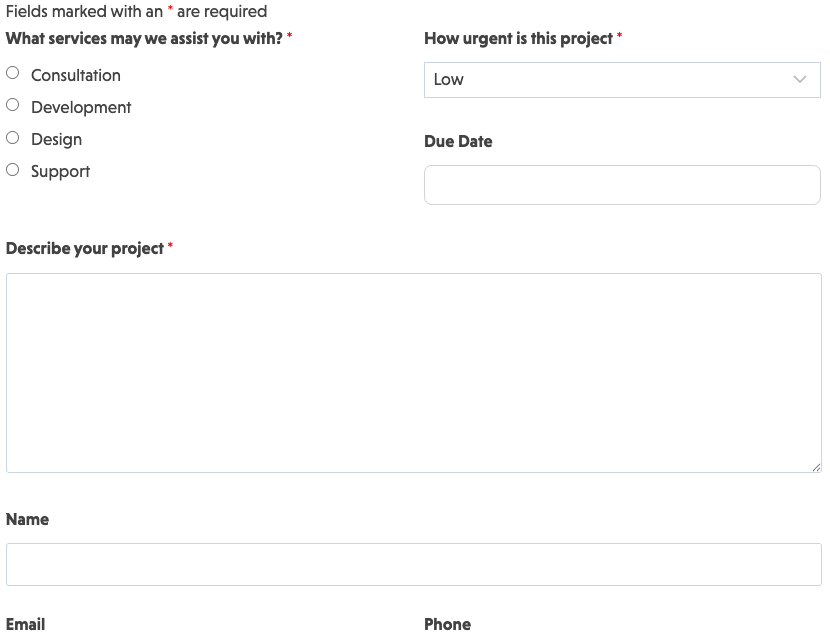
How Can the Request a Quote Form Template Be Used?
Save time and take your quoting system to the next level of efficiency with a user-friendly form that can be completed by prospective clients from any device. Whether you offer one or multiple products or services, the form enables website visitors to get more information about pricing.
Integrating the template directly with your CRM system is an effective way to gather data about clients who are interested in specific offerings. This provides a golden opportunity to alert them to special offers on products they have shown interest in.
How to Set It Up
An inviting request a quote form for your website is a must-have for many industries and professional services. It’s a valuable call to action on almost any post or page on your site. This request a quote template is easy to install and available for free as part of our core plugin.
Follow these steps to unlock the benefits of this template:
- Download and import: Download the Ninja Forms template.
- Customize to fit your brand: Create a professional-looking form that blends seamlessly with your website’s design — even with no design experience.
- Configure the form’s settings: Customize the settings to include your parameter choices and incorporate useful add-ons like Conditional Logic that modifies options according to user choices.
- Publish and share: Embed the complete template on your website and stand by to respond to client inquiries.
Add Even More to Your Request a Quote Form
A well-organized, structured design conveys your professionalism, encouraging clients to reach out to you. This template offers all that and more. Automated responses and smart integrations make it a powerful tool to boost responsiveness and increase your potential client base.
Features can include:
- Automated email notifications on form submission.
- Pop-up thank you message when a completed form is submitted.
- Real-time updates to your team so they can respond promptly.
Make it your template
Every template is ready to go live and fully customizable. Tweak a few things or renovate from the ground up. Ninja Forms gives you the tools either way.