What’s Included
This form is designed to do more than just collect information — it works behind the scenes to automate confirmations, notify internal teams, and securely store all consent records in the right places for compliance and quick access.
-
Email Notification: Sends confirmation to both the parent and school admin upon submission
-
Success Message: Displays a custom thank-you message after submission
-
Redirect: Optionally redirect to a confirmation page or printable version of the form
-
File Storage: Uploaded files saved to WordPress or connected storage (e.g., Google Drive)
How Can the Parent Consent Form Template Be Used?
A parent consent form template solves the recurring challenge of collecting timely, accurate permission from guardians for student participation in off-campus or higher-risk activities. Whether you’re organizing a school field trip or managing youth sports, this form simplifies compliance by digitally capturing relevant contact or medical information in one place.
-
Download and Import the Template – Upload the template to Ninja Forms and customize it for your specific activities.
-
Enable Conditional Logic – Use the Conditional Logic add-on to show or hide medical details, permissions, or waivers based on the selected activity type.
-
Confirm Email Notifications – Use merge tags to send confirmation emails to the submitting parent and the school coordinator.
-
Add Optional Integrations – Integrate with Google Drive (via File Uploads)
-
Publish & Share – Embed the form on your school or team’s website or send via email to parents for quick, mobile-friendly completion.
⚠ This template requires the Conditional Logic and File Uploads add-ons to support activity-specific questions and optional document uploads. If not needed, remove the related fields and all core functionality will remain intact.
What’s Available on the Parental Consent Form Template?
This form is structured for clarity and convenience, ensuring all legal, medical, and emergency contact details are collected in one place.
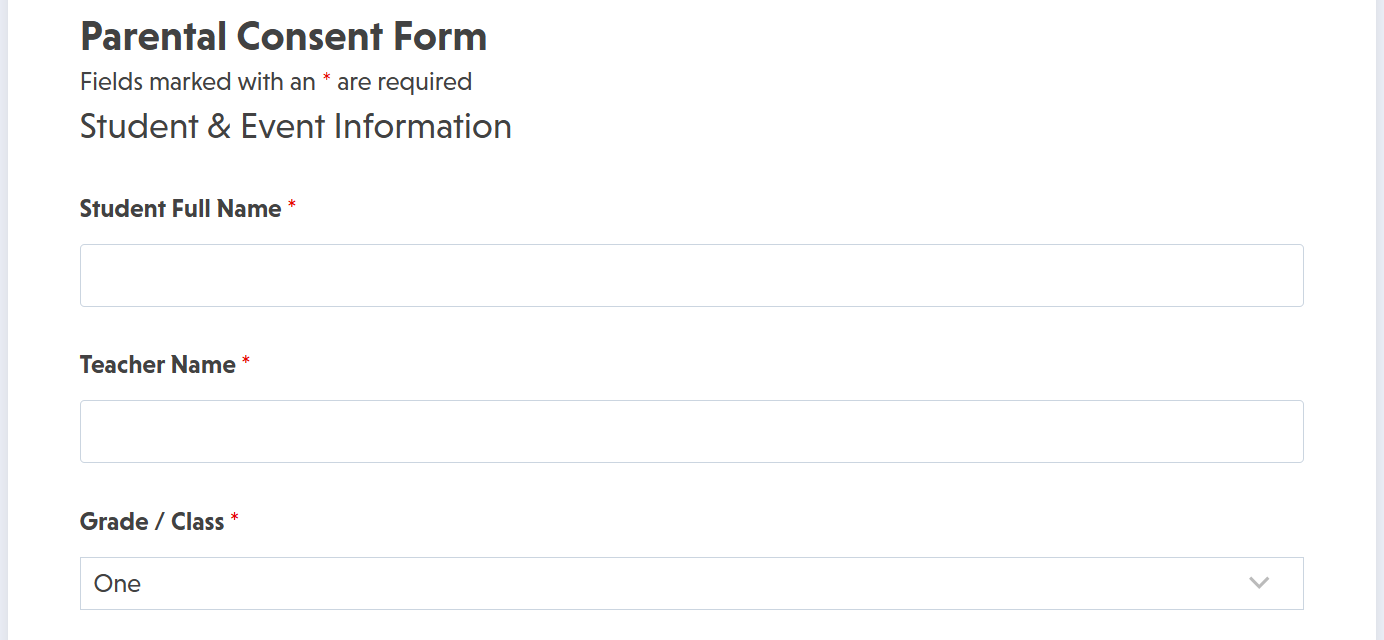
1. Student & Event Information
-
Student Full Name (Single Line Text – Required)
-
Grade/Class (Single Line Text – Optional)
-
Event Name (Single Line Text – Required)
-
Event Date (Date/Time – Required)
-
Chaperone/Teacher Name (Single Line Text – Optional)
2. Parent/Guardian Contact & Consent
-
Parent/Guardian Name (Single Line Text – Required)
-
Phone Number (Phone – Required)
-
Email Address (Email – Validation Enabled)
-
Relationship to Student (Select – Required)
-
Permission Granted? (Radio List – Required: Yes / No)
-
Digital Signature (Single Line Text or Confirm Field – Required)
-
Date of Consent (Date/Time – Auto-populated or required)
3. Medical & Emergency Info (Conditional)
-
Allergies/Conditions (Paragraph Text – Optional)
-
Emergency Contact Name (Single Line Text – Required)
-
Emergency Contact Number (Phone – Required)
-
Insurance Provider (Single Line Text – Optional)
-
Upload Medical Form or Waiver (File Upload – Optional)
4. Consent & Security Measures
-
Photo/Media Release Permission (Checkbox List – Optional)
-
Terms and Conditions Acknowledgment (Single Checkbox – Required)
-
reCAPTCHA v2 (Recaptcha – Anti-spam enabled)
Make it your template
Every template is ready to go live and fully customizable. Tweak a few things or renovate from the ground up. Ninja Forms gives you the tools either way.