What’s Included
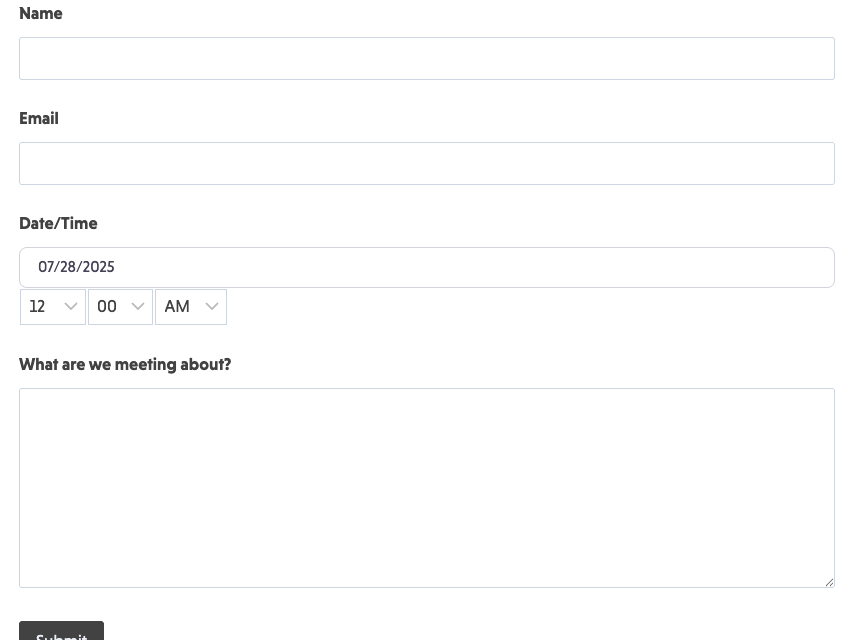
This template guides users to complete the required fields and connects it to your marketing tools — no coding required. Avoid complicated setups and create appointment forms from any page on your website. Our appointment form booking template features:
- Collection of essential information: Gather the details required to create a client profile, such as name and contact details.
- Flexible appointment types: Offer choices such as telephonic, online, or in-person appointments for your services.
- Preferred and specific day and time selection: Use the drop-down menus or a specific date and time picker to simplify selecting a slot.
- Additional comments section: Enhance the client experience by providing space for personalized requests, messages, or details.
This form goes above and beyond with automated responses and smart integrations that let you track online bookings and follow up with personalized messages. Some built-in features include:
- Email appointment notification to users
- Success message after submission
- CRM integration for contact creation
- Slack or Trello notifications so your team gets real-time updates
- Text message notification with each form submission
How Can the Appointment Form Template Be Used?
Add an appointment request form to any website to keep your small business or organization open for bookings 24/7. Make the most of every website visit and offer visitors the opportunity to book your services spontaneously. This appointment form’s streamlined appearance provides an inviting platform to gather the information required to set up appointments quickly.
How to Set It Up
Ninja Forms’ appointment form plugin for WordPress integrates within your website and offers visitors complete scheduling flexibility. Keeping your appointments coming in and managed like a pro just got easier.
Follow these five steps to set up this template:
- Download and import the appointment form template: Upload the form via Ninja Forms.
- Customize the template to fit your business: Customize the required information and branding to align with your company.
- Configure the form’s settings: Configure your form to fit your scheduling options and use the Advanced Datepicker add-on to limit your available appointments.
- Add optional integrations: Enable PayPal or other payment options for users who wish to pay for their appointments in advance.
- Publish and share: Embed the form on your website and prepare to receive online bookings.
Make it your template
Every template is ready to go live and fully customizable. Tweak a few things or renovate from the ground up. Ninja Forms gives you the tools either way.