Forms Connected to Everything
Connect your WordPress forms to Google Sheets, Slack, CRMs, and 5,000+ other apps through Zapier, no code required.
Risk-Free 14 Day Guarantee
You'll love it or we'll refund you fully. No questions asked.
Your forms collect the data. Your team lives in Slack, Google Sheets, HubSpot, Asana, and a dozen other tools. The Ninja Forms Zapier add-on closes the gap. Connect your WordPress forms to 5,000+ apps and let every submission trigger the right action automatically, no code and no manual copying required. With Ninja Forms + Zapier, you can:
Key Features
Connect 5,000+ Apps
Any app in Zapier’s directory becomes a destination for your form submissions.
Automatic Triggers
Form submissions fire your Zaps instantly, no manual steps required.
No-Code Setup
Connect your forms to any app using Zapier’s visual interface. No developer needed.
Multi-Step Zaps
One form submission can trigger actions in Google Sheets, Slack, your CRM, and more simultaneously.
Visual Field Mapping
Control exactly which form fields feed which fields in your destination app.
Conditional Routing
Works with Conditional Logic to fire Zaps only when the right conditions are met.
Key Features of the Ninja Forms Zapier Add-On
Connect to 5,000+ apps through one integration
Zapier’s app directory is one of the largest in the automation world, and every app in it becomes a potential destination for your form submissions. Whether your team uses a mainstream CRM or a niche project management tool, if it has a Zapier integration, Ninja Forms can send data to it. You add one add-on; you unlock thousands of connections.
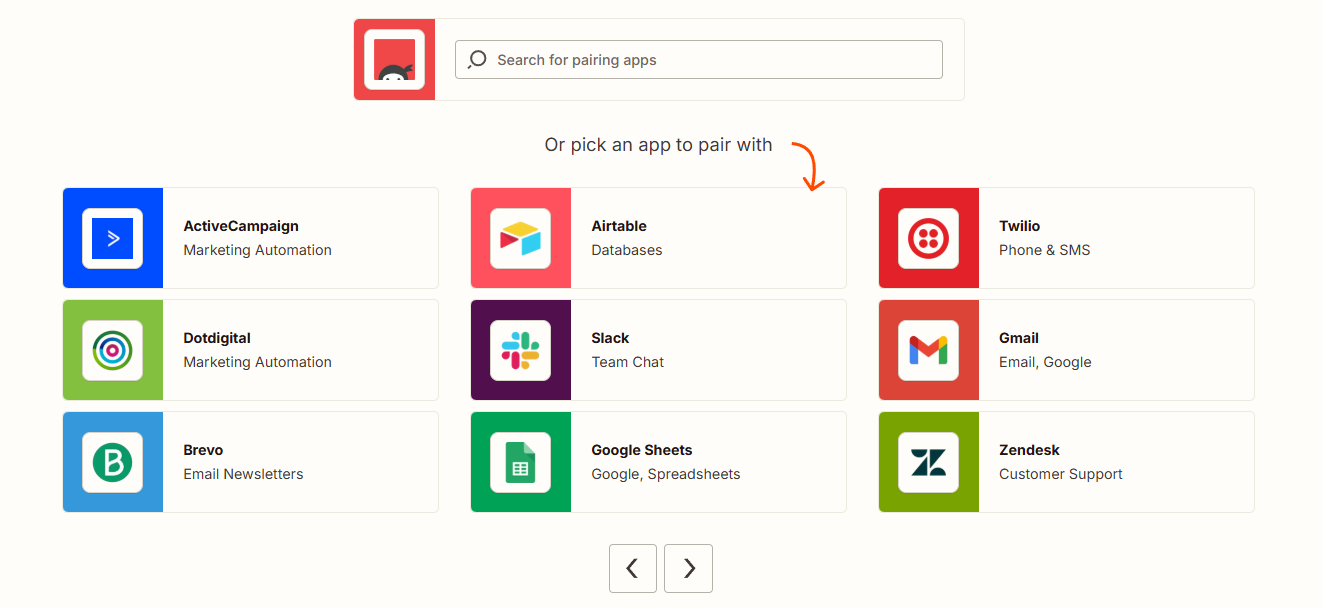
Trigger-based automation that runs without you
Every form submission becomes an automatic trigger. The moment someone clicks Submit, Zapier receives the data and dispatches it to the connected app. Nothing sits in a queue waiting for your attention. Your team gets the notification, the spreadsheet row appears, the CRM contact is created – all before you’ve opened your inbox.

No-code setup using Zapier’s visual interface
Setting up the connection takes minutes and requires no developer. Inside Ninja Forms, add a new Zapier action under Emails and Actions and paste in the webhook URL generated by Zapier.
On the Zapier side, you can describe your workflow in plain language using Zapier’s Copilot feature and let it configure the integration for you, or build the Zap manually by selecting Ninja Forms as the trigger and mapping fields to your destination app. Either way, there is no code to write.

Multi-step Zaps from a single form submission
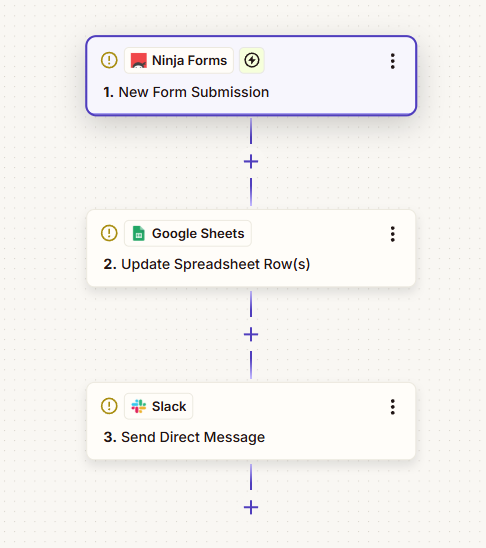
One submission does not have to go to one place. Zapier’s multi-step Zaps let a single form trigger a chain of actions across different apps. A contact form submission can create a row in Google Sheets, post a notification to a Slack channel, and add a contact to your CRM, all at once, from one form, with one Zap.
Field mapping gives you precise control over your data
After a test submission, Zapier recognizes every field in your form and makes them available to map to any field in the destination app. You decide which form field feeds which destination field. Name goes to First Name. Email goes to Contact Email. Message goes to Deal Notes. The visual mapper puts that control in your hands without requiring any technical setup.

Connect your forms to 5,000+ apps
Every submission can trigger actions across your CRM, Google Sheets, email tools, and thousands more apps, set up once and left to run. Add it to your cart and connect your forms to the tools you already use.
Backed by priority email support and a 14-day money-back guarantee.
When to Use Zapier Instead of a Direct Integration
Ninja Forms offers direct integrations for many popular services. Zapier fills the gap when a direct integration does not exist for your specific tool. It is also the right choice when you need multi-step workflows that chain several apps together, or when your team already uses Zapier to manage other automations and wants a consistent approach. If the tool your team relies on is in Zapier’s directory, the Zapier add-on makes it reachable.
How to Connect Ninja Forms to Zapier
The setup follows a short sequence. Install and activate the Zapier add-on in WordPress. Log into your Zapier account and create a new Zap. Use Zapier’s Co-Pilot to describe your workflow, or select Ninja Forms as the trigger app manually and choose “New Submission” as the trigger event. Zapier generates a webhook URL. Copy that URL, open the form you want to connect in Ninja Forms, add a Zapier action under Emails and Actions, and paste the webhook. Submit a test entry from the form preview. Zapier receives the test data, maps your fields, and your Zap is ready to configure the action steps.
If you update your form fields later, re-sync with Zapier by running another test submission so Zapier picks up the new field list.
Common Use Cases
- Send leads to your CRM without manual entry: Connect a contact or inquiry form to HubSpot, Pipedrive, or any CRM in Zapier’s directory. Every submission creates a new contact or deal automatically. Start with a pre-built lead capture template or build your own.
- Log submissions to a spreadsheet: Route form data to Google Sheets or Airtable for reporting, review, or handoff to another team. Each submission appends a new row with the fields you mapped.
- Notify your team in Slack or Teams: Post a message to a Slack channel or Microsoft Teams workspace the moment a form is submitted. Keep your team informed without checking email or a dashboard.
- Create tasks from form submissions: Turn service requests, bug reports, or intake forms into tasks in Asana, Trello, or Monday.com. Field data maps directly to task titles, descriptions, and assignees.
- Trigger email sequences from a form: When a contact form or opt- in form is submitted, add the subscriber to a Mailchimp audience, an ActiveCampaign automation, or any other email platform connected to Zapier.
- Connect to tools without a native Ninja Forms integration: When a direct add-on does not exist for your specific platform, Zapier is the bridge. If your tool is in Zapier’s directory of 5,000+ apps, Ninja Forms can send data to it.
One submission, every tool in your stack
Send a new lead to your CRM, add them to your email list, and ping your team, all from one form trigger and none of it by hand. Add it to your cart and automate your whole stack from a single form.
Priority email support and a 14-day money-back guarantee included.
Frequently Asked Questions
-
Yes. The Ninja Forms Zapier add-on connects your WordPress forms to Zapier using a webhook. Once connected, any form submission can trigger automated workflows that send data to thousands of apps including Google Sheets, Slack, HubSpot, Asana, and more.
-
Install the Zapier add-on, then create a new Zap in your Zapier account with Ninja Forms as the trigger. Zapier generates a webhook URL. Paste that URL into the Zapier action inside Ninja Forms under Emails and Actions. Submit a test form entry to sync your fields, then configure your action steps in Zapier.
-
Any app in Zapier's directory of 5,000+ integrations. Common connections include Google Sheets, Airtable, Slack, Microsoft Teams, HubSpot, Pipedrive, Salesforce, Mailchimp, ActiveCampaign, Asana, Trello, and Monday.com, among thousands of others.
-
Yes. Zapier's multi-step Zaps let a single form submission trigger a sequence of actions across different apps. For example, one submission can create a row in Google Sheets, post a Slack notification, and add a contact to your CRM, all from a single Zap.
-
No coding is required. The setup uses a copy-paste webhook URL on the Ninja Forms side and Zapier's visual interface or Co-Pilot AI feature on the Zapier side. Most users complete the initial connection in under five minutes.
-
Yes, when used with the Ninja Forms Conditional Logic add-on. You can set conditions on the Zapier action so it only fires when specific criteria are met, such as when a particular field value is selected or a checkbox is checked.
-
A free Zapier account supports single-step Zaps. Multi-step Zaps, which let one submission trigger actions in multiple apps, require a paid Zapier plan. The Ninja Forms Zapier add-on itself is a separate purchase or included with any Ninja Forms membership.
-
Licenses are subscription based and will auto-renew each year unless cancelled. If cancelled, you may still use your extensions but will no longer receive important updates or support once the license expires.